8171 Status Wallet Inactive 2026 – How to Fix BISP Wallet Inactive Problem Online
8171 Status Wallet Inactive 2026
If you check your Benazir Income Support Programme payment through the 8171 system and see the message Wallet Inactive, you may wonder why your payment is not available. This problem can happen when your Social Protection Wallet is not activated, your SIM information needs verification, or your beneficiary record requires an update. However, an inactive wallet does not automatically mean that your BISP eligibility has been cancelled.
In 2026, the Benazir Income Support Programme (BISP) has been expanding its digital payment system to provide financial assistance through CNIC-linked bank accounts and Social Protection Wallets. This is an important change from the older payment arrangements, in which beneficiaries mainly collected their quarterly payments through designated bank agents, payment centres and biometric facilities.
The new system aims to give women more control over their financial assistance and reduce problems associated with traditional payment distribution. However, some beneficiaries may experience wallet activation, SIM registration or payment verification issues during the transition.
This guide explains how to solve the 8171 Status Wallet Inactive problem, how to check your BISP Payment Status, where to request wallet activation and what to do if your biometric verification is already complete.
What Does 8171 Status Wallet Inactive Mean?
The message 8171 Status Wallet Inactive generally indicates that the digital wallet associated with your BISP beneficiary record is not showing an active status.
This can prevent you from accessing payment services through the new digital wallet arrangement until the relevant issue is checked.
There can be different reasons behind a Wallet Inactive Problem, including incomplete wallet registration, pending identity verification, incorrect SIM information or a technical issue in the payment system.
It is important to understand that BISP eligibility and wallet activation are two separate matters. A woman can remain eligible for the Benazir Kafalat Programme even if her digital wallet is temporarily inactive.
For this reason, beneficiaries should not assume that their financial assistance has been permanently stopped simply because the system displays an inactive message.
BISP Digital Wallet System 2025 vs 2026: Major Changes
The Benazir Income Support Programme has gradually moved towards a more transparent and convenient payment arrangement.
During 2025, beneficiaries mainly received their payments through designated payment channels, including bank retailers, campsites and biometric payment facilities. BISP continued working on digital payment reforms to improve access and reduce difficulties faced by women during withdrawals.
In 2026, the programme made further progress through CNIC-linked digital wallets and an interoperable payment system.
The following table explains the difference between the previous and updated arrangements.
| Payment Feature | Previous Arrangement (2025) | Updated Arrangement (2026) |
|---|---|---|
| Payment method | Designated bank agents and payment centres | CNIC-linked digital wallet system |
| Account arrangement | Traditional payment distribution | Individual beneficiary accounts and digital wallets |
| Verification | CNIC and biometric verification | Biometric and digital identity authentication |
| SIM facility | Existing registered mobile numbers | Free SIM facility under the Social Protection Wallet initiative |
| Withdrawal | Designated payment agents and facilities | Authorised agents of participating banks |
| Payment tracking | 8171 SMS and available online information | 8171 status and relevant wallet/payment records |
| Main purpose | Distribute financial assistance | Improve transparency, accessibility and financial inclusion |
On June 19, 2026, BISP signed agreements with 1LINK and participating financial institutions to operationalise an interoperable digital wallet payment system. This arrangement allows beneficiaries to access their stipends through authorised agents of participating banks.
The system is being introduced in phases, so the availability of wallet services may differ according to the beneficiary’s registration and payment arrangements.
According to a government press release dated October 29, 2026, approximately 9.7 million SIMs had been activated under the Social Protection Wallet initiative, while 9.3 million beneficiaries had conducted transactions through CNIC-linked digital wallets.
These figures show the progress of the programme, but they do not mean that every beneficiary’s individual wallet is automatically active.
How to Solve BISP Wallet Inactive Problem in 2026?
If your 8171 Wallet Status shows inactive, the first step is to identify the actual reason behind the issue.
Do not immediately visit different banks or pay an agent for wallet activation. Follow the official troubleshooting process explained below.
1. Check Your 8171 Status Online
Before requesting wallet activation, check your current beneficiary and payment information through the official 8171 system.
Follow these steps:
- Open the official 8171 web portal.
- Enter your 13-digit CNIC number without spaces or dashes.
- Complete the verification code if required.
- Submit your information.
- Review the eligibility and payment information displayed on the screen.
You can also receive payment-related information through official SMS notifications from 8171.
The portal helps beneficiaries check their available information, but checking your status does not automatically activate an inactive wallet.
Official Portal: https://8171.bisp.gov.pk/
2. Visit Your Nearest BISP Office
If your BISP Wallet Status continues to show inactive, visit your nearest Benazir Income Support Programme Tehsil Office or designated registration campsite.
Take the following items with you:
- Original and valid CNIC
- Mobile phone containing your registered SIM
- Previous BISP payment information, if available
- Any wallet-related error message or transaction receipt
Explain that your 8171 Status Wallet Inactive message is preventing you from accessing your payment.
Ask the representative to check whether your Social Protection Wallet has been created, whether the SIM is linked correctly and whether any activation step is pending.
The relevant staff can guide you according to your beneficiary record.
3. Complete BISP Biometric Verification
Biometric verification is an important part of the BISP identity authentication and payment process.
If your wallet activation is pending because of incomplete verification, the authorised representative may ask you to complete the required biometric process.
During BISP Biometric Verification:
- Carry your original CNIC.
- Provide your fingerprints when requested.
- Make sure your personal information matches your beneficiary record.
- Ask the representative whether your verification has been successfully recorded.
If your fingerprints are not recognised, request guidance about the official alternative verification procedure.
Do not pay an unauthorised person to change your biometric information or activate your wallet.
4. Check Your SIM Registration
The Social Protection Wallet initiative uses a registered SIM as part of the beneficiary’s digital payment arrangement.
If your SIM is lost, blocked or registered under another person’s name, you may face difficulties accessing your wallet.
Visit the designated BISP service point and ask the representative to check your SIM information.
Confirm the following details:
- Whether your free BISP SIM has been issued.
- Whether the SIM is correctly associated with your CNIC.
- Whether your Social Protection Wallet has been created.
- Whether the wallet activation process is complete.
- Whether additional verification is required.
Keep your SIM secure because it may be used to receive important information about your financial assistance.
5. Contact the Relevant Partner Bank
Sometimes, the wallet may be active but a beneficiary may still face problems while withdrawing money.
In such cases, the issue may be related to the payment transaction, banking channel or account verification.
Visit an authorised agent of the relevant participating bank and request a transaction check.
Carry your original CNIC and any available payment confirmation or transaction receipt.
Ask the representative to confirm whether your payment has been credited and whether a failed transaction or account-related restriction is preventing withdrawal.
An ordinary Bank ATM is not a guaranteed solution for every inactive wallet problem. Use a biometric ATM only if the relevant bank confirms that it supports your required transaction.
6. Check Your Payment Status Again
After the relevant verification or correction has been completed, check your 8171 Payment Status again.
You can visit the official portal and enter your CNIC number to review the information available in the system.
If the wallet continues to show inactive, return to the BISP office and request another status check.
Ask whether your issue is pending with BISP, the partner bank or the digital wallet system.
This will help you avoid repeating the same verification process without knowing the actual reason for the problem.
Can I Activate My BISP Wallet Online Without Visiting an Office?
Many beneficiaries search for How to Activate BISP Wallet because they want to resolve the problem from home.
You can check your eligibility and available payment information through the official 8171 portal. However, checking your information online is different from activating a digital wallet.
If your wallet requires biometric authentication, SIM issuance, identity verification or correction of beneficiary information, you may need to visit an authorised BISP service point.
There is currently no verified public online activation form that guarantees automatic correction of every inactive wallet.
Therefore, avoid websites or mobile applications claiming that they can activate your BISP wallet instantly by entering your CNIC number.
Use the official BISP website and designated service centres for assistance.
Why Is My BISP Wallet Inactive? Common Reasons and Solutions
There is no single confirmed reason for every Wallet Inactive Issue. The problem may be related to registration, verification or payment processing.
The following table explains possible reasons and the appropriate steps beneficiaries can take.
| Possible Reason | Explanation | Recommended Solution |
|---|---|---|
| Incomplete wallet activation | Wallet registration may not be completed | Visit an authorised BISP office |
| SIM registration problem | SIM details may not match beneficiary information | Request SIM and CNIC verification |
| Pending biometric verification | Identity authentication may be incomplete | Complete the required verification |
| Incorrect beneficiary details | Personal information may need correction | Ask BISP staff to check your record |
| Technical system issue | Wallet information may not be updated | Request a technical status check |
| Payment processing issue | Payment may not be available through the selected channel | Contact the relevant partner bank |
These are possible troubleshooting areas, not an official list of confirmed error causes.
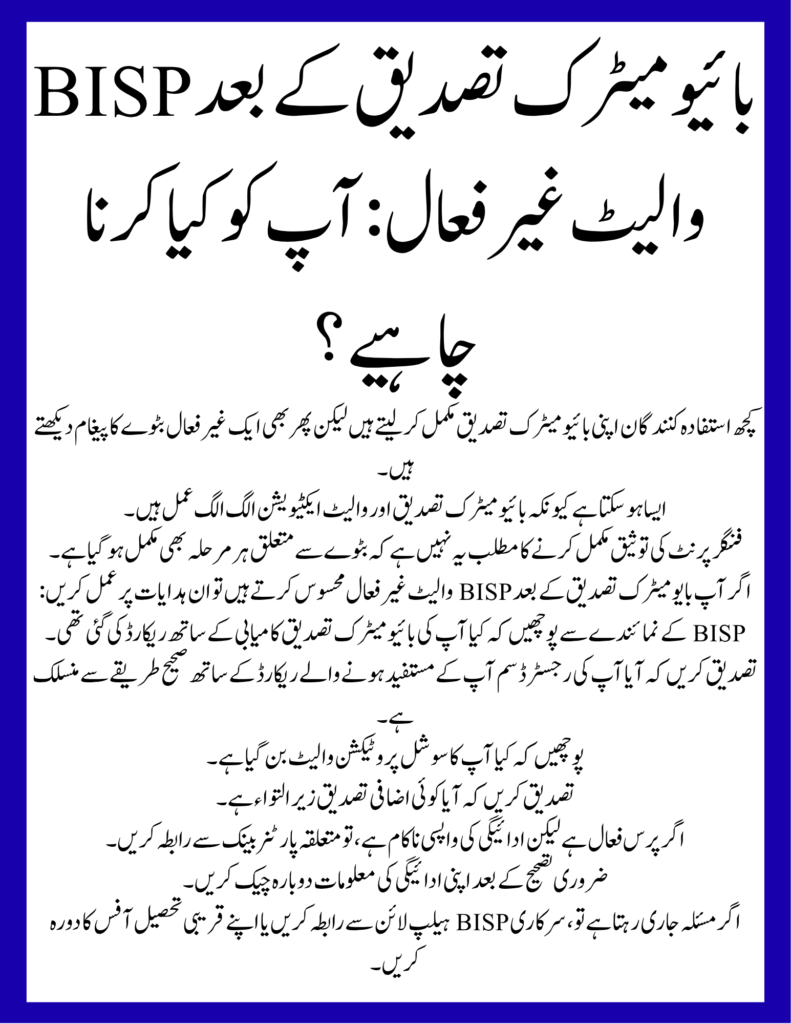
BISP Wallet Inactive After Biometric Verification: What Should You Do?
Some beneficiaries complete their biometric verification but still see an inactive wallet message.
This can happen because biometric verification and wallet activation are separate processes.
Completing fingerprint verification does not necessarily mean that every wallet-related step has also been completed.
If you experience BISP Wallet Inactive After Biometric Verification, follow these instructions:
- Ask the BISP representative whether your biometric verification was successfully recorded.
- Confirm whether your registered SIM is correctly linked with your beneficiary record.
- Ask whether your Social Protection Wallet has been created.
- Confirm whether any additional verification is pending.
- If the wallet is active but payment withdrawal is unsuccessful, contact the relevant partner bank.
- Check your payment information again after the necessary correction.
If the problem continues, contact the official BISP helpline or visit your nearest Tehsil Office.
BISP Error Code 153: Incorrect WalletID Problem
Some beneficiaries search for BISP Error Code 153 and Incorrect WalletID when they experience difficulties with their digital payment information.
An Incorrect WalletID message may indicate that the wallet identifier being processed does not match the expected wallet record.
However, the exact official meaning and correction procedure for BISP Error Code 153 have not been confirmed in the public guidance reviewed for this article.
If you encounter this message, do not create another wallet or enter random account information.
Instead, ask the authorised BISP representative to check your CNIC-linked wallet details and confirm whether the correct wallet identifier is associated with your beneficiary record.
BISP Error Code 99: How to Handle This Problem?
BISP Error Code 99 is another search term associated with payment-related problems.
If this code appears while checking or withdrawing your payment, do not automatically assume that your eligibility has been cancelled or that your money has disappeared.
Follow these steps:
- Save the error message.
- Keep your transaction receipt if available.
- Check your latest payment information through official channels.
- Contact the relevant payment provider.
- Ask BISP staff to investigate if the problem concerns your beneficiary record.
The exact official meaning of Error Code 99 has not been established in the public BISP guidance reviewed for this article. Therefore, avoid following unverified instructions claiming that one specific action will resolve every case.
SPW Wallet Not Found: How to Resolve It?
The message SPW Wallet Not Found may indicate that the system cannot locate the expected Social Protection Wallet record during a transaction or verification attempt.
If this message appears, ask the relevant representative to check your wallet registration.
You should confirm:
- Whether your wallet registration has been completed.
- Whether your CNIC is correctly associated with the wallet.
- Whether your SIM information is correct.
- Whether your wallet is still pending activation.
- Whether a technical issue is preventing the system from displaying your record.
Do not register a second wallet independently because of this message. First, confirm the status of your existing wallet through an authorised BISP service point.
BISP Bank Verification and Payment Withdrawal in 2026
The updated BISP payment arrangement aims to give beneficiaries more flexibility when accessing their financial assistance.
Under the interoperable system, beneficiaries can withdraw their funds through authorised agents of participating banks, regardless of which participating bank issued their payment.
The initiative involves 1LINK and financial institutions participating in the payment arrangement.
However, beneficiaries should remember that wallet activation, bank verification and payment withdrawal are different steps.
If your wallet is inactive, first request a wallet status check. If your wallet is active but your payment is unavailable, ask the relevant partner bank to investigate the transaction.
Do not assume that every Bank Branch or Bank ATM can activate your Social Protection Wallet.
Important Information for BISP Beneficiaries in 2026
The following table summarises important BISP information that beneficiaries should know before requesting wallet activation.
| Information | Details |
|---|---|
| Programme Name | Benazir Income Support Programme |
| Main Cash Assistance Programme | Benazir Kafaalat |
| Official SMS Number | 8171 |
| Official Website | bisp.gov.pk |
| Payment Status Portal | 8171.bisp.gov.pk |
| Digital Payment Initiative | Social Protection Wallet |
| SIM Facility | Free SIM under the wallet initiative |
| Identity Document | Original and valid CNIC |
| Verification | Biometric and identity authentication |
| Complaint Helpline | 0800-26477 |
| Wallet Assistance | Nearest BISP Tehsil Office or designated campsite |
The programme’s digital wallet initiative is being expanded in phases. Therefore, the availability of services may depend on your registration and the current payment arrangements in your area.
Important Note: Avoid Fake BISP Wallet Activation Services
Beneficiaries should be careful when searching online for a solution to the BISP Wallet Inactive Problem.
Some unauthorised individuals may claim that they can activate a wallet or release a payment in exchange for money.
Always follow these safety instructions:
- BISP registration and survey services are free.
- Do not share your OTP, ATM PIN or banking password.
- Do not give your SIM or original CNIC to an unauthorised agent.
- Trust only official BISP SMS messages from 8171.
- Avoid suspicious websites claiming to provide instant wallet activation.
- Keep your payment receipts and complaint details safe.
- Report illegal deductions or demands for money to BISP.
BISP has repeatedly warned beneficiaries about fraudulent messages and unauthorised payment deductions.
The official complaint helpline is 0800-26477.
Will the BISP Digital Wallet System Continue in 2027?
The Social Protection Wallet initiative is part of BISP’s wider digital payment reforms.
During 2026, the programme expanded SIM distribution, beneficiary registration and digital payment arrangements. The government has also discussed further improvements to the system through the State Bank of Pakistan and participating financial institutions.
However, beneficiaries should wait for official announcements regarding any new 2027 wallet activation requirements, payment dates, withdrawal charges or eligibility changes.
Do not believe social media claims about a new wallet registration fee or a separate activation website unless BISP officially confirms the information.
If your wallet is inactive, the best option is to resolve your existing beneficiary record through the authorised procedure.
Frequently Asked Questions (FAQs)
1. What Does 8171 Status Wallet Inactive Mean?
It means that the digital wallet associated with your BISP beneficiary record is showing an inactive status. You should ask BISP staff to check your wallet registration, SIM information and verification record.
2. How to Solve BISP Wallet Inactive Problem?
Visit an authorised BISP service point and request a wallet status check. If biometric verification, SIM registration or wallet activation is pending, follow the instructions provided by the authorised staff.
3. How to Fix 8171 Wallet Inactive Online?
You can check your information through the official 8171 portal, but every wallet issue cannot be resolved online. Some cases require in-person verification or technical assistance.
4. What Does BISP Wallet Inactive Mean for My Payment?
An inactive wallet may prevent you from accessing payment through the digital wallet system. However, the message alone does not confirm that your BISP eligibility or financial assistance has been cancelled.
5. How Can I Activate My BISP Wallet?
Visit your nearest BISP office or designated campsite. Take your original CNIC and registered mobile phone, and ask the staff to check your wallet activation status.
6. What Documents Are Required for Wallet Activation?
Your original and valid CNIC and the mobile phone containing your registered SIM are important. Additional information may be required depending on the problem.
7. What Should I Do If My BISP Wallet Is Inactive After Biometric Verification?
Ask BISP staff to confirm that your biometric record has been updated and your Social Protection Wallet has been created. If the issue continues, request a technical status check.
8. Can I Activate My BISP Wallet Through a Bank ATM?
Not every ATM provides wallet activation services. Use a biometric ATM only when the relevant bank confirms that the required service is available.
9. What Is the Official BISP Complaint Number?
The official BISP complaint helpline is 0800-26477. You can also visit your nearest BISP Tehsil Office for assistance.
10. Is BISP Wallet Activation Free?
The SIM-based Social Protection Wallet facility is provided free of charge under the BISP initiative. Do not pay an unauthorised person for activation.
11. Can an Inactive Wallet Cancel My BISP Eligibility?
No. An inactive wallet message alone does not confirm that your eligibility has been cancelled. Check your separate eligibility and payment information through official channels.
12. How Can I Check My BISP Payment Status Again?
Visit https://8171.bisp.gov.pk/, enter your CNIC number and review the information available in the system. You can also follow official SMS notifications from 8171.
Final Words
The 8171 Status Wallet Inactive problem can create difficulties for women who depend on Benazir Kafaalat financial assistance. However, an inactive wallet does not automatically mean that your BISP eligibility has ended or your payment has been cancelled.
The best approach is to check your 8171 Payment Status, visit an authorised BISP office if wallet activation or identity verification is required, and confirm that your SIM and digital wallet are correctly linked with your CNIC.
If your wallet remains inactive after verification, contact the official BISP helpline at 0800-26477 or request assistance from your nearest Tehsil Office.
Always use official BISP services and avoid paying unauthorised agents for wallet activation. This will help protect your financial assistance and personal information.