Punjab T-Cash Card Online Apply 2026 – Registration, Rs. 275 Fee & CNIC Status Check
Punjab T-Cash Card Online Apply 2026
The Punjab T-Cash Card 2026 is a rechargeable smart banking card introduced to make public transport payments easier for passengers across Punjab. It allows commuters to pay fares on supported transport services, including Metrobus, Orange Line Metro Train, Speedo Bus and Electro Bus, without depending on cash for every journey. The Punjab Mass Transit Authority (PMA) provides an official online application system, while the e-Transit Punjab app offers access to related travel services.
People searching for T-Cash Card Online Apply, Punjab T-Cash Card Registration, the latest fee, or application status should understand the difference between the physical card and the e-Transit app wallet. Both support digital transport services, but their payment arrangements are not necessarily the same. This guide explains the application procedure, eligibility, charges, CNIC verification, recharge methods, card delivery and other important details using official guidance and reporting published in 2025 and 2026.
More Read: 800cc Car Fuel Relief Scheme 2026
Punjab T-Cash Card 2026 – Latest Details
The following table summarises the main information available from PMA’s official website and its published frequently asked questions.
| Information | Details |
|---|---|
| Card name | Punjab T-Cash Card |
| Application year | 2026 |
| Official application platform | e-Transit Punjab Portal |
| Mobile application | e-Transit Punjab App |
| Minimum age | 18 years |
| Identification | Valid CNIC |
| Card issuance fee | Rs. 130 |
| Delivery charges | Rs. 130 |
| Online service charges | Rs. 15 |
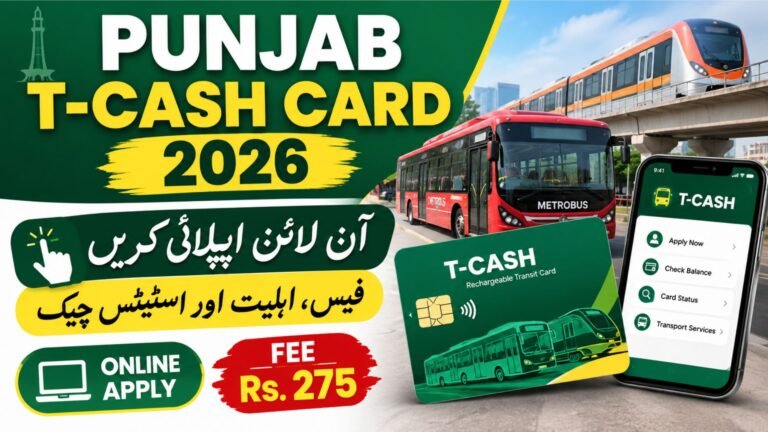
| Total listed application cost | Rs. 275 |
| Duplicate card fee | Rs. 275 |
| Expiry | Date printed on the card |
| Application assistance | Helpline 1762 |
| Main purpose | Cashless public transport payments |
Important: PMA’s FAQ lists Rs. 275 as the total cost for card issuance with delivery and service charges. The Rs. 130 amount is the card fee itself, not the full amount payable through the listed home-delivery process. Always check the official portal for the latest payment instructions before submitting an application.
What Is the Punjab T-Cash Card?
The Punjab T-Cash Card is a prepaid, rechargeable smart card designed to make public transport payments more convenient. According to the Punjab Mass Transit Authority, passengers can use it on supported mass transit services, including Metrobus, Orange Line Metro Train, Speedo Bus and Electro Bus. The card is also described as a smart banking card with debit functionality, subject to the relevant banking conditions.
For regular commuters, the main advantage is convenience. Instead of buying a separate paper ticket for every journey, passengers can use an accepted digital payment method at participating transport services. This can help reduce dependence on cash and make daily travel easier.
The T-Cash Card is also relevant to people searching for a Punjab Public Transport Card because it brings together transport payments through a rechargeable card. However, passengers should not assume that every local bus, private transport operator or retail shop accepts it. Acceptance depends on the supported service and the card’s applicable features.
More Read: CM Rehmat Card 2026 – Check Application Status
How to Apply for Punjab T-Cash Card Online in 2026
The Punjab government provides several application channels, including the official e-Transit Punjab Portal, the mobile application and helpline assistance. ProPakistani’s report published on October 17, 2026, also describes these options for commuters who want to apply for a card.
Step 1: Open the Official e-Transit Punjab Portal
Visit the official website:
e-Transit Punjab Online Portal
Check the web address carefully before entering your personal information. Avoid unofficial websites that promise instant approval or ask you to pay additional charges without an official explanation.
Step 2: Complete e-Transit Punjab Signup
If you are a new user, open the registration page and complete the e-Transit Punjab Signup process using the information requested by the portal. Existing users can use the e-Transit Punjab Login option to access their accounts.
During e-Transit Punjab Registration, enter your details accurately and follow the verification instructions displayed on the website. Incorrect personal information may cause difficulties during application processing.
Step 3: Select the T-Cash Card Online Application
After signing in, find the relevant card application service and select the T-Cash Card option. Fill in the required personal information and provide the identification details requested by the official system.
Before submitting the application, check your name, CNIC information and contact details carefully. If the portal requests an address or other information for delivery, make sure those details are correct.
Step 4: Complete Verification and Payment
Follow the verification and payment instructions displayed by the official platform. If identity verification is required, complete it through the authorised process rather than sending documents to an unknown person.
The published total issuance cost is Rs. 275 for the listed card, delivery and service charges. Review the amount shown during checkout before confirming payment, and keep the transaction receipt or application reference for future use.
Step 5: Check Your Application and Card Delivery
Once the application has been submitted, use the available account services to check its progress. Follow the delivery or collection instructions provided by the official system, and keep your registered contact details available for updates.
If you cannot complete the application or need help understanding its status, contact the T-Cash Card helpline at 1762. PMA also lists this number for assistance with card-related problems.

e-Transit Punjab App Download and Registration
The e-Transit Punjab App is another way to access digital transport services. PMA describes app features such as wallet top-ups, card management, T-Cash and student-card applications, and journey planning.
For e-Transit Punjab App Download, use the official app-store listing or a download link provided by the government portal. Check the publisher information before installing the application, especially if you find multiple results with similar names.
After installation, open the app and complete the registration or login process. Look for the available card services, follow the instructions on the screen and check the requirements for your particular application. The exact options may vary according to the current app version.
The e-Transit app also provides access to an electronic wallet for travel-related use. However, the app wallet and the physical T-Cash Card should not be treated as one shared balance. This distinction was specifically highlighted in a PMA clarification reported by ProPakistani on December 27, 2025.
Punjab T-Cash Card Fee, Price and Delivery Charges
The Punjab T-Cash Card Fee is one of the most frequently searched details because some readers confuse the card’s basic price with the full amount paid during online application.
According to the PMA FAQ, the card costs Rs. 130, while delivery and online service charges bring the listed total to Rs. 275. ProPakistani reported the same breakdown in November 2025 when PMA clarified confusion about the card’s price.
| Fee type | Amount |
|---|---|
| T-Cash Card Price | Rs. 130 |
| T-Cash Card Delivery Charges | Rs. 130 |
| Online service charges | Rs. 15 |
| T-Cash Card Total Fee | Rs. 275 |
Is Punjab T-Cash Card Free?
No, the standard issuance process listed by PMA includes charges. The Rs. 130 amount refers to the card itself, while the total for the listed delivery and service charges is Rs. 275. Applicants should check whether any special concession or revised payment option has been officially announced before applying.
Punjab T-Cash Card Eligibility and Requirements
The Punjab T-Cash Card Eligibility rules published by PMA state that applicants must be at least 18 years old and possess a valid CNIC. The authority also says that minors may use a parent or guardian’s card under its published guidance.
Before beginning the application, keep your valid identification and contact information ready. Follow any additional instructions displayed by the official portal.
T-Cash Card CNIC Verification and NADRA Verification
T-Cash Card CNIC Verification helps confirm the identity of an applicant. The Punjab Transport Company’s published guidance also refers to NADRA verification and compliance with applicable banking requirements.
Complete the T-Cash Card NADRA Verification process through the authorised system whenever requested. Make sure your identification details are accurate, and never share your banking PIN or one-time password with an unknown person claiming to offer faster approval.
T-Cash Card Status Check and Application Tracking
After completing the T-Cash Card Online Application, applicants may want to know whether their card has been approved, processed or issued. PMA’s published information identifies the official portal, mobile app and helpline as ways to obtain application-status assistance.
How to Check Punjab T-Cash Card Application Status
- Open the official e-Transit Punjab Portal.
- Sign in using your registered account details.
- Find the available application or card-status section.
- Follow the instructions to view your current application information.
- If the status is unavailable, contact helpline 1762 for assistance.
T-Cash Card Tracking and Delivery
T-Cash Card Tracking helps applicants follow the card issuance process and access available delivery information. Keep your application reference and registered contact details available in case support staff request them.
The Punjab Transport Company’s guidance has described card collection from a designated station, while other published instructions describe home delivery. Because arrangements can vary, follow the delivery or collection method displayed during your own application rather than relying on an older article.
How to Recharge T-Cash Card Online
T-Cash Card Recharge is necessary when the physical card needs additional funds for eligible transactions. An important point in the October 17, 2026, application guide published by ProPakistani is that the physical card can be recharged through supported Bank of Punjab mobile banking or Interbank Funds Transfer (IBFT), rather than through the e-Transit app wallet.
T-Cash Card BOP and Bank of Punjab Mobile Banking
If your Bank of Punjab Mobile Banking service supports the required transaction, follow the bank’s instructions to recharge the physical card. Check the correct payment destination and card-related details before confirming a transfer.
Save the transaction receipt and check the card balance after payment. If you cannot identify the correct payment option, contact the bank or T-Cash Card support instead of transferring money to an unverified account.
T-Cash Card IBFT
IBFT stands for Interbank Funds Transfer, which allows money to be transferred between supported bank accounts. The October 2026 report identifies supported banking applications as an option for physical-card recharge. Use only the verified payment instructions for your card, and do not assume that every bank app supports the same process.
T-Cash Card Online Recharge vs e-Transit Wallet
The physical card and the e-Transit app wallet have separate balances. A December 2025 clarification reported by ProPakistani explained that funds added to the app wallet do not appear on the physical card, and the balances cannot be transferred between the two systems.
Therefore, always confirm which service you are funding before making a payment. An e-Transit wallet top-up should not be assumed to recharge the physical T-Cash Card.
More Read: Sindh Pink Electric Scooty Scheme 2026
T-Cash Card Cashless Payment on Metrobus, Orange Line and Other Services
The Punjab T-Cash Card is designed for cashless fare payments on supported public transport systems. PMA lists T-Cash Card, QR codes and the mobile e-Transit app among the fare media passengers can use on its services.
- T-Cash Card Metrobus: Check the accepted payment method at your station before travelling.
- T-Cash Card Orange Line Train: Use the card according to the station’s current ticketing instructions.
- T-Cash Card Speedo Bus: Confirm acceptance on your particular route.
- T-Cash Card Electro Bus: Check the available payment arrangements for the service operating in your city.
- T-Cash Card Debit Card: The card is also described as offering banking functionality, subject to the issuing bank’s applicable terms.
These services are intended to make public transport payments more convenient, but acceptance and banking features should be confirmed for the specific service or transaction.
Student T-Cash Card, Expiry, Renewal and Duplicate Card
PMA’s e-Transit guidance includes an option to apply for a Student T-Cash Card. Students should check the requirements displayed in the official application rather than assuming that all standard-card conditions or any special concessions automatically apply to them.
The T-Cash Card Expiry date is printed on the physical card. PMA states that renewal or replacement can be requested after expiry. If the card is lost or damaged, the authority’s FAQ lists a duplicate card fee of Rs. 275.
Before requesting a T-Cash Card Renewal or T-Cash Card Duplicate, check the latest procedure and charges on the official portal. If the card has banking functionality and is lost, contact the issuing bank promptly to ask about protecting the associated account.
T-Cash Card Helpline 1762
The T-Cash Card Helpline 1762 is listed by PMA as a source of assistance for card applications and transport-card problems. If your card does not work at a bus or train gate, PMA advises passengers to contact station staff or call the helpline.
You can also consult the official portal if you need help with registration, status information or card-related instructions. Keep your application reference ready, but never disclose your banking PIN or one-time password.
What Changed Between 2025 and 2026?
Earlier coverage focused on the card’s basic price and the introduction of home delivery. In November 2025, ProPakistani reported PMA’s clarification that the Rs. 130 card price was separate from delivery and online service charges. In December 2025, another report explained the separation between the physical card and the e-Transit app wallet. The October 2026 application guide then described the current online application channels and physical-card recharge options.
| Topic | Previous reporting and current guidance |
|---|---|
| Card price | Rs. 130 for the card itself |
| Total listed issuance charges | Rs. 275, including delivery and service charges |
| Online application | Official portal, app and helpline assistance |
| Digital wallet | Separate from the physical-card balance |
| Physical-card recharge | Supported BOP mobile banking or IBFT, as reported in October 2026 |
| Card validity | Expiry date printed on the card |
| Duplicate card | Rs. 275 according to PMA’s published FAQ |
The main point is to check the current official instructions before applying or paying. Older articles may explain a previous collection method or omit later clarifications.
Important Note for Applicants
Before completing your Punjab T-Cash Card Registration, remember that the published standard issuance total is Rs. 275, the stated minimum age is 18, and a valid CNIC is required under PMA’s FAQ. The physical card and e-Transit wallet have separate balances, so always choose the correct recharge method.
Use the official portal for registration, check your application details carefully, and contact 1762 if you need assistance. Avoid unofficial links or anyone asking for your banking password or verification code.
Frequently Asked Questions
1. How can I apply for Punjab T-Cash Card 2026?
Visit the official e-Transit Punjab Portal, register or log in, select the available card application service, and follow the verification and payment instructions.
2. What is the total fee for a T-Cash Card?
PMA lists Rs. 275 in total: Rs. 130 for the card, Rs. 130 for delivery and Rs. 15 in service charges.
3. Can I apply without a CNIC?
PMA’s published guidance requires applicants to be at least 18 and have a valid CNIC. Follow the official instructions if you are applying for a child or asking about guardian-card use.
4. How can I check my application status?
Log in to the official portal and look for the application-status option. You can also contact helpline 1762 for assistance.
5. Can I recharge the physical card through the e-Transit app?
The October 2026 application guide identifies supported BOP mobile banking and IBFT for physical-card recharge. The e-Transit app wallet is a separate system, so do not assume that a wallet top-up will fund the physical card.
6. What is the T-Cash Card helpline number?
PMA lists 1762 for assistance with T-Cash Card applications and problems using the card.
7. Does the T-Cash Card expire?
Yes. PMA says the expiry date is printed on the card and that renewal or replacement can be requested after expiry.
Conclusion
The Punjab T-Cash Card 2026 provides a convenient way to make cashless payments on supported public transport services. The official e-Transit Punjab Portal and mobile app provide access to card-related services, while the helpline offers another way to obtain assistance.
Before applying, check the eligibility requirements, the Rs. 275 listed total issuance cost, and the current delivery and payment instructions. Understanding the difference between the physical card and the app wallet can also help prevent recharge mistakes. For reliable updates, use official Punjab transport sources and confirm important details before making a payment.
Official and Trusted Sources
| Source | Information | Direct link |
|---|---|---|
| Punjab Mass Transit Authority | Official fees, age requirements, expiry, duplicate card and helpline | PMA FAQs |
| e-Transit Punjab | Official online application and account services | e-Transit Punjab Portal |
| Punjab Transport Company | Card features, eligibility and application information | T-Cash Card |
| Punjab Transport Department | Digital ticketing system information | Official Transport Page |
| ProPakistani | October 17, 2026, application and recharge guide | Read the report |
| ProPakistani | November 13, 2025, card-price clarification | Read the report |
| ProPakistani | December 27, 2025, e-wallet and physical-card clarification | Read the report |