How to Track Your Driving License Online in Punjab 2026 – DLIMS Status Check by CNIC
How to Track Your Driving License Online
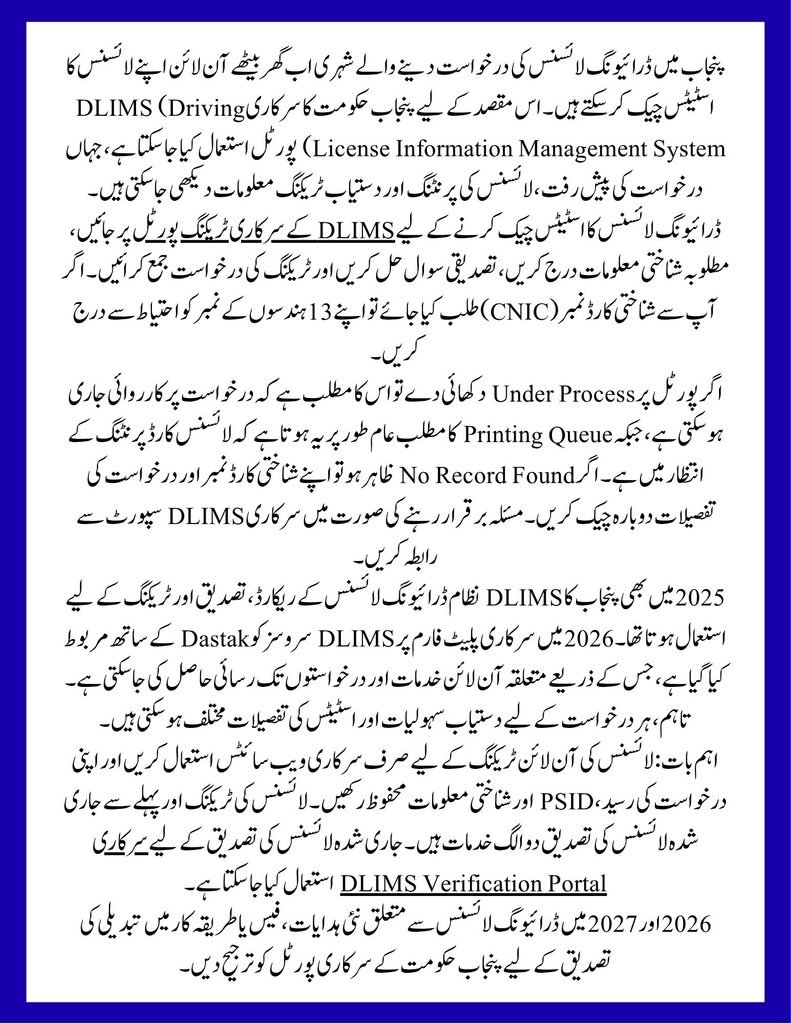
Checking your driving license status online in Punjab has become easier with the digital services provided through the Driving License Information Management System (DLIMS). Applicants can check their license application progress, find out whether a card is waiting for printing, and review available tracking information without visiting a licensing office simply to ask about an update. In October 2026, Punjab’s DLIMS services are integrated with the Dastak government services platform, which provides access to applications, payments, previous records, and license tracking.
If you have applied for a learner permit, regular driving license, or license renewal, this guide explains how to track your driving license online in Punjab, how to check the status using your CNIC, what common tracking messages mean, and what to do if your application information is not displayed. It also explains the difference between the older DLIMS process and the current Dastak-linked system so applicants can follow the correct procedure.
Also Read ; How to Apply for Child B Form Online Pakistan
Punjab Driving License Tracking Online 2026: Latest Update
The Punjab government provides an official online tracking facility through DLIMS. Applicants can open the tracking page, enter the identity information requested by the portal, complete the verification question, and submit their request to view the available tracking result. The official tracking page also provides contact details for driving-license-related queries. Official DLIMS Tracking Portal.
In previous years, Punjab’s centralized DLIMS system helped bring driving-license records, verification, printing, and tracking together across the province. The Punjab Information Technology Board (PITB) has documented the system’s operation across all 36 districts, while the current DLIMS platform describes its integration with Dastak for online applications and tracking. The main change for applicants in 2026 is the expanded one-window digital service experience, rather than a completely separate licensing system.
Applicants should use the official portal for the latest instructions because application steps, available tracking fields, and delivery information may change as the system is updated. Punjab Police DLIMS information.
How to Track Your Driving License Online in Punjab
You can check your Punjab driving license status from a mobile phone, laptop, or desktop computer. Before starting, keep your CNIC number and application or payment details available in case you need them for a follow-up with the licensing department.
Step 1: Open the Official DLIMS Tracking Website
Visit the official tracking page at dlims.punjab.gov.pk/track. Make sure the website address is correct before entering your personal information. Avoid unofficial websites that ask for unnecessary identity details or payment to display a tracking result.
Step 2: Enter Your CNIC or Requested Identification Details
Enter the identification information requested on the tracking page, using the same details you supplied when applying for your driving license. If the form requests a CNIC, carefully check all 13 digits and remove dashes if the field requires digits only. Applicants using a passport or another permitted identification document should follow the options displayed on the official portal.
Step 3: Complete the Verification Question
The tracking page may display a simple verification question to confirm that the request is being submitted by a person. Enter the correct answer in the field provided. If the answer is incorrect, refresh the question if necessary and try again.
Step 4: Submit the Tracking Request
Select the tracking button to submit your information. The system will display the available tracking result associated with your application or license record. Depending on the stage of processing, you may see a message related to application processing, the printing queue, or dispatch information.
Step 5: Review the Status and Keep Your Reference Details
Read the result carefully and save any relevant application number, payment receipt, or PSID associated with your application. If the status does not change immediately, it does not automatically mean that your application has been rejected. The licensing authority may still need to process the record or update the system.
How to Check Driving License Status by CNIC in Punjab
A CNIC-based driving license status check is useful for applicants who do not have a separate tracking number available. The official DLIMS tracking page is the first place to check the progress of a Punjab license application.
To check your status, open the official tracking portal, enter your CNIC as requested, complete the verification question, and submit the form. If your record appears, review the status message and follow any instructions provided. If no result appears, check the spelling and digits of your identification information and confirm that you are using the correct tracking page.
Remember that tracking an application is different from verifying an already-issued driving license. Tracking helps you review available application or card progress, whereas license verification is used to check information associated with an issued license. You can access the separate official DLIMS verification page when you need to verify a license record.
What Do Punjab Driving License Tracking Status Messages Mean?
The wording shown on the portal may vary according to the stage of processing and the information available in the system. The following table explains common status descriptions in straightforward language. These explanations are general guidance, not a guarantee that every application will display every stage.
| Tracking status | What it generally means | What you should do |
|---|---|---|
| Application submitted | Your request has been received by the system. | Keep your application details and check for further updates. |
| Under process | The application or associated record is being processed. | Wait for an update and contact support if the status remains unresolved. |
| Printing queue | The license card is waiting to be printed. | Check the portal again later for a new status. |
| Printed | The card has been printed, if this status is shown. | Look for any subsequent dispatch information. |
| Dispatched | The card has been sent onward for delivery, if dispatch information is available. | Follow any delivery or postal reference provided. |
| No record found | The system could not find a matching record for the submitted information. | Recheck your details and contact the licensing authority if the problem continues. |
A status message should always be interpreted in the context of the actual information displayed by the official portal. For example, a printing-queue message generally indicates that printing is still pending; it should not be interpreted as confirmation that the physical card has already been dispatched.
What Is the Difference Between DLIMS in 2025 and the System in 2026?
Punjab has been developing its centralized driving-license system over several years. The older DLIMS arrangements already supported license issuance, renewal, centralized records, verification, and tracking. The current official platform integrates DLIMS services with Dastak, which provides a single point of access for a wider range of government services.
| Feature | Earlier system and 2025 context | Current system in October 2026 |
|---|---|---|
| Centralized records | DLIMS maintained centralized licensing information across Punjab. | DLIMS continues to provide licensing services through its current online platform. |
| Application process | Applicants used the available DLIMS services and licensing offices according to the relevant service. | The official platform offers online application access through the Dastak-linked system. |
| Application tracking | Online tracking was available through DLIMS. | Applicants can use the official tracking page to view available status information. |
| License verification | Online verification was available for license records. | A separate official verification page remains available. |
| Previous application records | Records were maintained through the licensing system. | Dastak provides a facility to access previous records after linking the relevant account. |
| Payments | Payment arrangements depended on the applicable licensing service and process. | The current platform describes ePay integration and PSID generation for relevant applications. |
Important: This table compares the established features of DLIMS with the services described on the current official platform. It does not claim that every feature was introduced in 2026. For the latest service instructions, use the official DLIMS website and Dastak platform.
How to Track a Driving License Card After Printing
Once your driving license has been approved, the card may still need to pass through printing and delivery stages. The tracking page may show the available progress of your card, but the exact details depend on the information recorded by the licensing system.
If the portal displays a dispatch status or a postal tracking reference, use the delivery details provided to follow the shipment through the relevant delivery service. Do not assume that every applicant will immediately receive a separate courier tracking number, because the availability of delivery information can vary.
If the card appears to be printed but no delivery update is available, check the official portal again and contact DLIMS support if necessary. Keep your CNIC, application details, and payment receipt available when making an inquiry so the relevant staff can identify your record more easily.
How to Track a Learner Driving License in Punjab
A learner driving license and a regular driving license are different types of licensing documents. Applicants who apply online for a learner permit should first check the account used to submit the application, as the current DLIMS platform states that the digital learner license is available through the applicant’s account after the required application and payment steps are completed.
To check your learner permit, log in through the official platform used for your application and review your available records. If you need to check a separate tracking result, visit the official DLIMS tracking page and follow the fields shown there. The tracking process and the availability of a downloadable learner permit may differ from the process used for a physical regular license card.
Applicants should also confirm that the application has been submitted successfully and that any required payment has been confirmed. Keep the payment receipt or PSID as proof of the transaction.
How to Track a Driving License Renewal in Punjab
If you have submitted a driving license renewal application, use the official DLIMS or Dastak service associated with your application to review the available progress. First, sign in to the relevant account if the service requires it, then check the application record and any status information provided.
If you are checking a physical card, use the official tracking page when applicable. If the renewal application is not visible, verify that you are using the account linked to the correct identity details and that the submission process was completed. An application receipt can help support staff investigate a missing record.
Renewal processing times can vary, so applicants should not rely on an unofficial website’s promised delivery date. Follow the instructions and status information provided by the Punjab licensing authorities.
What to Do If Your Driving License Status Is Not Updating
Sometimes an application may remain on the same status for a period of time, or the portal may not display a matching record. There are several practical steps you can take before visiting a licensing office.
- Check your identification details: Make sure your CNIC or other requested information matches the information used in your application.
- Confirm your application submission: Review your account and receipt to make sure the request was submitted successfully.
- Check payment confirmation: If the service required payment, verify that the transaction was completed and retain your PSID or payment receipt.
- Use the correct service: Do not confuse license tracking with license verification or learner-permit downloading.
- Contact official support: If the issue continues, provide your application details to the relevant licensing support team.
An unchanged status does not, by itself, establish that an application has been rejected. Likewise, a missing record does not necessarily mean that your application has been cancelled. The licensing authority is the appropriate source for confirming the reason.
Official DLIMS Contact Information for Punjab Applicants
The official DLIMS tracking page lists the following contact details for driving-license-related queries:
| Contact method | Official details |
|---|---|
| Website | dlims.punjab.gov.pk |
| Tracking page | Track your license |
| Phone number | 042-99202892 |
| Email address | info@dlims.punjab.gov.pk |
| Dastak government services | dastak.punjab.gov.pk |
These contact details are taken from the official DLIMS website. If a contact number or service procedure changes, confirm the latest information on the official portal before using it.
Important Notes for Driving License Tracking in 2026 and 2027
Applicants should use the official Punjab government websites for license applications, tracking, payments, and verification. Never share your account password, verification codes, or unnecessary personal information with an unknown person who claims to speed up your license processing.
Keep your application receipt and PSID because they may be useful when following up on a payment or application issue. If the portal shows a printing-queue status, wait for the next available update rather than assuming that the card is ready for collection or delivery. Similarly, do not treat an estimated delivery time published by an unofficial website as an official deadline.
For 2027, applicants should continue to check the official DLIMS and Dastak platforms for any new procedures, tracking features, or policy announcements. Future changes should be confirmed through official notifications rather than assumed in advance.
Frequently Asked Questions (FAQs)
1. How can I track my driving license online in Punjab?
Visit dlims.punjab.gov.pk/track, enter the requested identification information, complete the verification question, and submit the form to view the available tracking result.
2. Can I check my Punjab driving license status using my CNIC?
Yes. The official tracking facility supports CNIC-based tracking. Enter the identification details requested on the portal and ensure that they match your application.
3. What does “regular license is in printing queue” mean?
It generally means that the regular license card is waiting to be printed. It does not mean that the physical card has already been dispatched.
4. Can I track my driving license without visiting a licensing office?
Yes. You can check the available application or card status online through the official DLIMS tracking page. You may still need to contact the licensing authority if your record is missing or requires further action.
5. Is DLIMS connected to the Dastak platform in 2026?
Yes. The current official DLIMS website states that its services are integrated with Dastak, the government’s one-window service platform. Dastak also provides access to applications and previous records after the relevant account is linked.
6. What should I do if the DLIMS portal says “No record found”?
Check your CNIC or other identification details, confirm that the application was submitted successfully, and verify that you are using the correct service. If the issue remains, contact official DLIMS support.
7. Can I download my learner driving license online?
The official DLIMS platform states that the digital learner license is available through the applicant’s account after completing the required application and payment steps. Sign in to the account used for the application to review the available document.
8. How can I verify an issued Punjab driving license?
Use the separate official DLIMS verification page. Follow the identification and license-information fields shown on that page.
Final Words
Tracking your driving license online in Punjab can save time and help you understand whether your application is still being processed, waiting for printing, or showing dispatch information. The official DLIMS tracking page is the best starting point for checking your record, while Dastak provides access to the wider online licensing service.
Applicants should always verify their information through official government channels, keep their application and payment receipts, and contact the licensing authority when a status message remains unclear. For updates in 2026 and 2027, rely on the latest official announcements rather than unverified claims about processing times or new tracking features.
Fact-Check Sources
| Source | Type | Information supported |
|---|---|---|
| Punjab DLIMS Official Tracking Portal | Official government source | License tracking facility and contact details. |
| Punjab DLIMS Official Website | Official government source | Current DLIMS services, Dastak integration, online application process, payment information, and tracking. |
| Dastak Punjab | Official government source | Access to DLIMS services and previous records through the one-window platform. |
| Punjab Information Technology Board – DLIMS | Official government source | Background on centralized licensing records and the historical DLIMS system. |
| ProPakistani – How to Track Your Driving License Online in Punjab | Secondary news source | Additional reporting on the online tracking procedure and printing-status messages. |
Editorial note: This article is an independent informational guide and is not an official government publication. Applicants should confirm current fees, processing arrangements, and service instructions through the relevant government portal.